
You decide
Every call that matters stays yours
Agents propose, draft and prepare. Approving, rejecting or re-scoping the work is a person’s job, and it stays that way.
Sunday turns messages, forms, and tool updates into tasks with an owner, status, and due date. Your team sets direction; approved agents prepare and move the next step forward. Roadmap calls get made here, not across four threads.
No credit card · Unlimited core use · Cancel anytime
One platform, connected to the work your team already runs
Why Sunday
You decide
Agents propose, draft and prepare. Approving, rejecting or re-scoping the work is a person’s job, and it stays that way.
Agents lift
Triage, summaries, status updates, handoffs, the first draft of a plan. Agents do it on the same board your team is already looking at.
One record
No copy-pasting between a chat tool and a tracker. People and agents read and write one live plan, in real time.
Agents
Workspace and board assistants act on the same live plan your people use — through MCP, API, and Telegram, wherever your team already works.
Ask for context, summaries, plans, and approved changes without copying work into another tool. The assistant reads and writes the same live board your people use.
Start free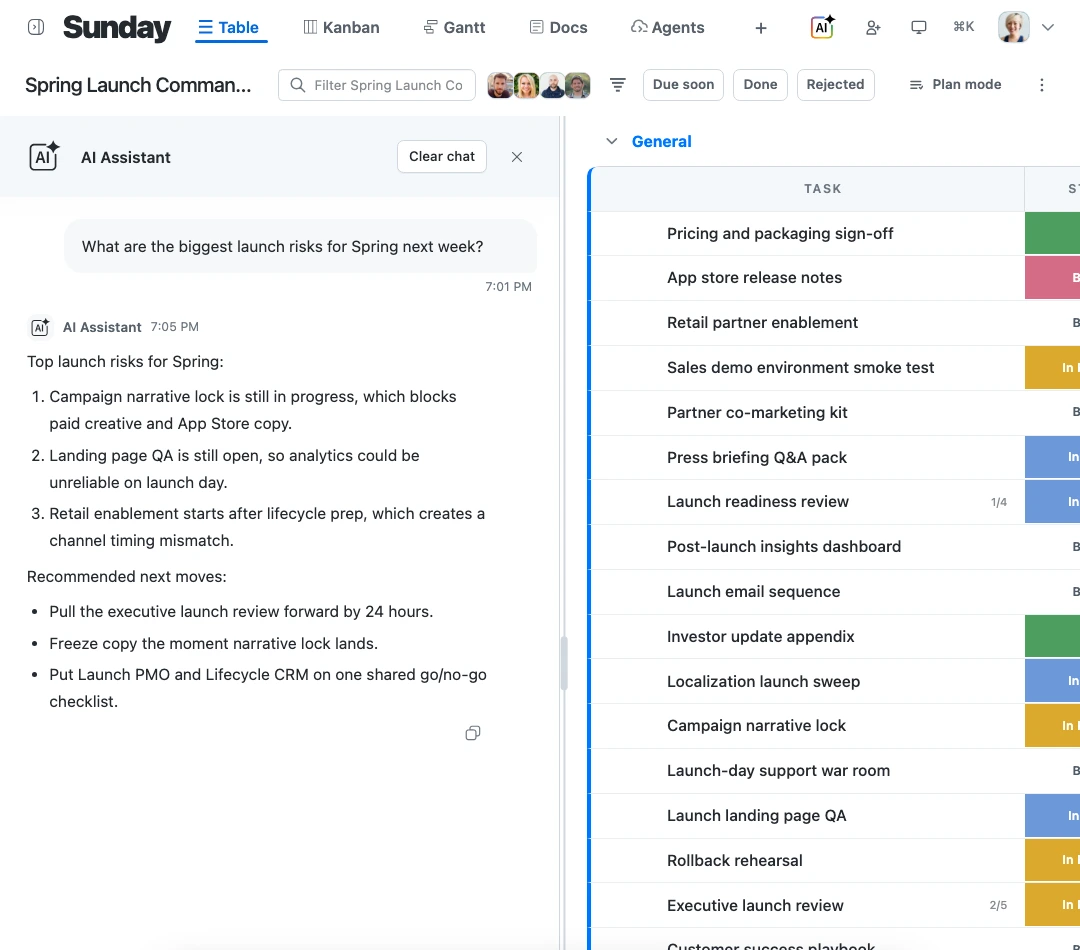
Context
Write it down once, where the work is. Specs, decisions and the reasoning behind them sit on the item they describe, so nobody has to reconstruct the thread that produced them.
Docs & detail, on the item
Specs, decisions, ownership, and dates all live where the work does.
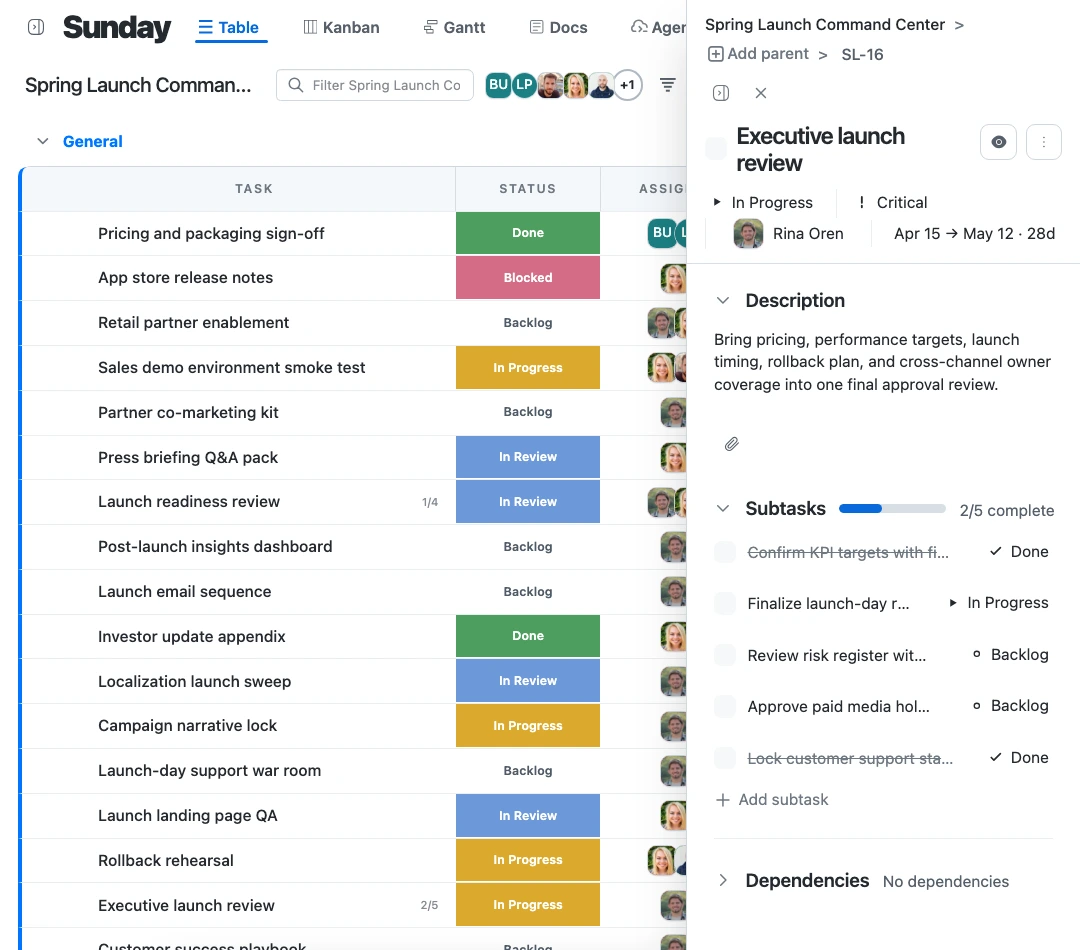
Workspace & boards
Organize every team’s work in one place.
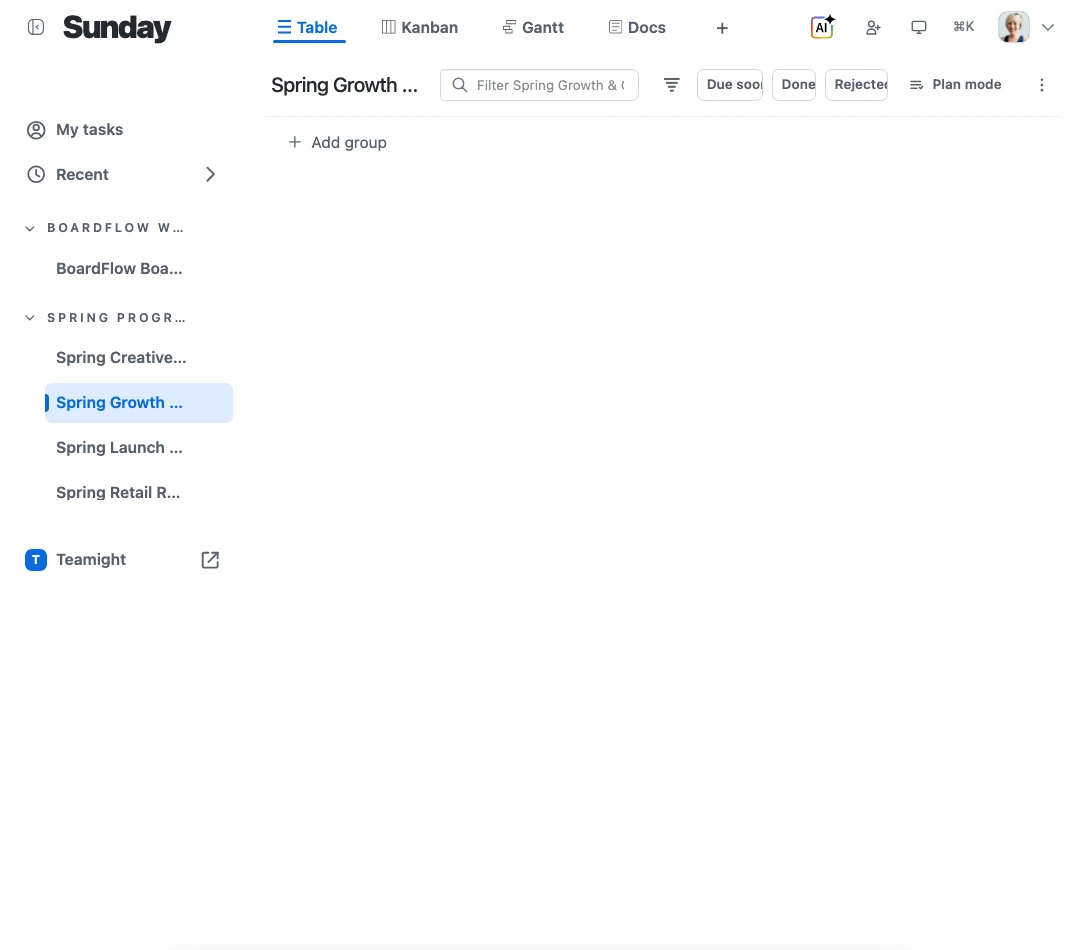
Views
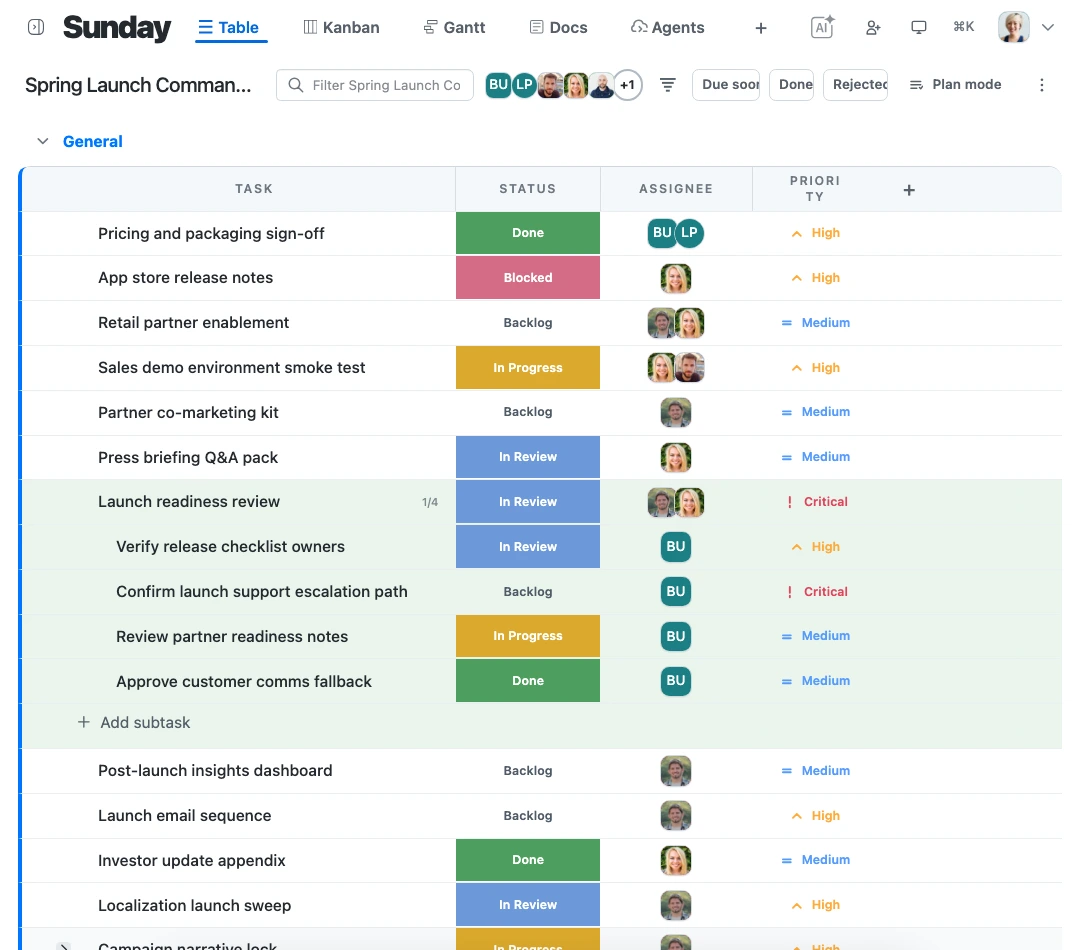
Move between detail, flow, and timeline without ever rebuilding the plan.
Edit owners, dates, fields, estimates, and status inline.
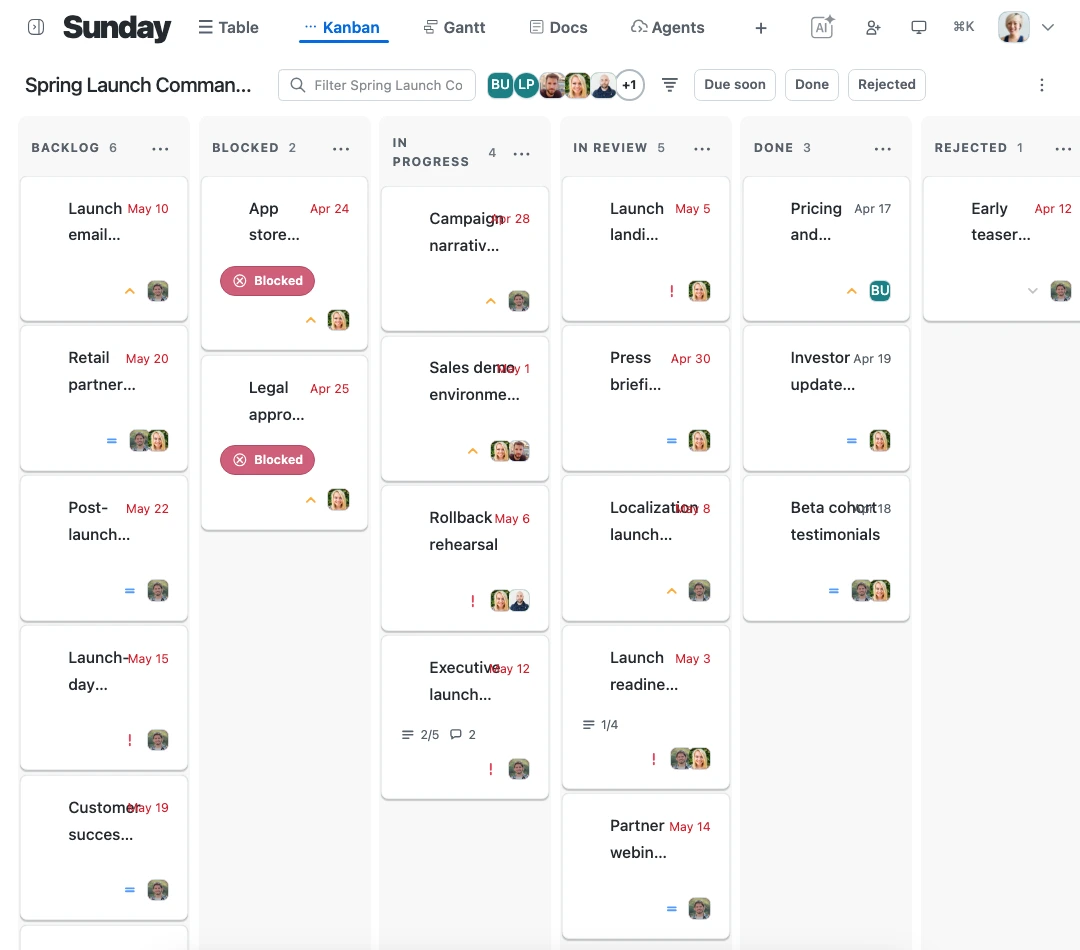
Follow movement, blockers, and custom status stages visually.
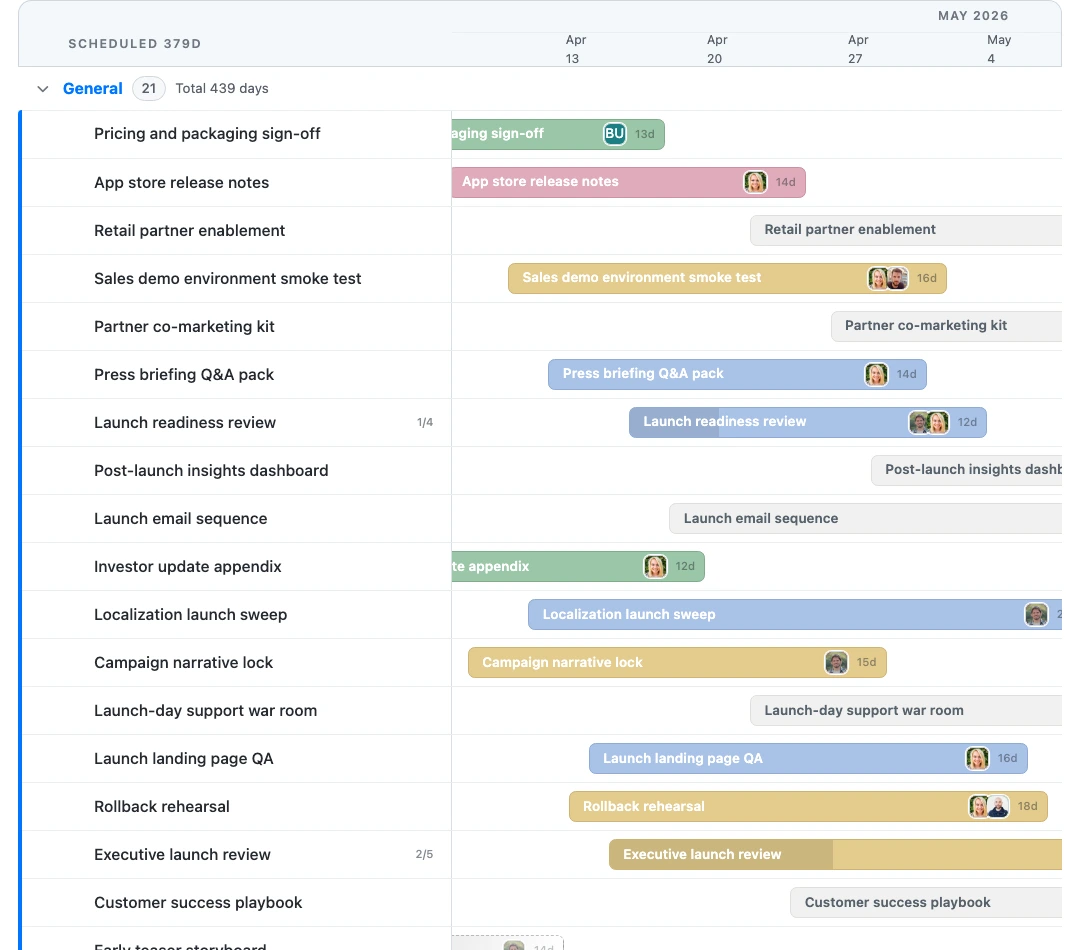
See delivery dates, dependencies, overlap, and timeline risk.
Governance
Automation follows the acting user’s access, the board’s AI policy, and your approvals — every action authorized, scoped, and logged.
Every agent action is authorized as the user and scoped to the workspace or board.
Destructive assistant actions wait for explicit approval before they run.
Admins can prevent every AI surface from writing to a sensitive board.
History records whether a change came from the web, API, MCP, or an assistant.
Connected
A badge count is not a plan. Sunday takes what arrives — a Jira issue, a public form, a message, an automated trigger — and gives it an owner instead of an unread badge. These are the routes in and out.
Start connectingAutomation
Automate how work moves between people and agents. Protected changes stay visible and approval-aware.
Example workflow
Structured request arrives
External intake
Sunday validates and creates work
Live board context
Agent prepares the next action
Assistant or automation
A person approves protected changes
Human in the loop
No credit card. Unlimited core use.